
iOS app development

iPhone, iPad, and Mac app development for businesses.

We design and build native apps for iPhone, iPad, and Mac, from the first prototype through App Store release. Our studio is in Norwalk, Connecticut, and works with businesses and product teams across Connecticut, New York, and the United States.

Work directly with the designer and developer behind Go Griddy, an iPhone app now on the App Store.

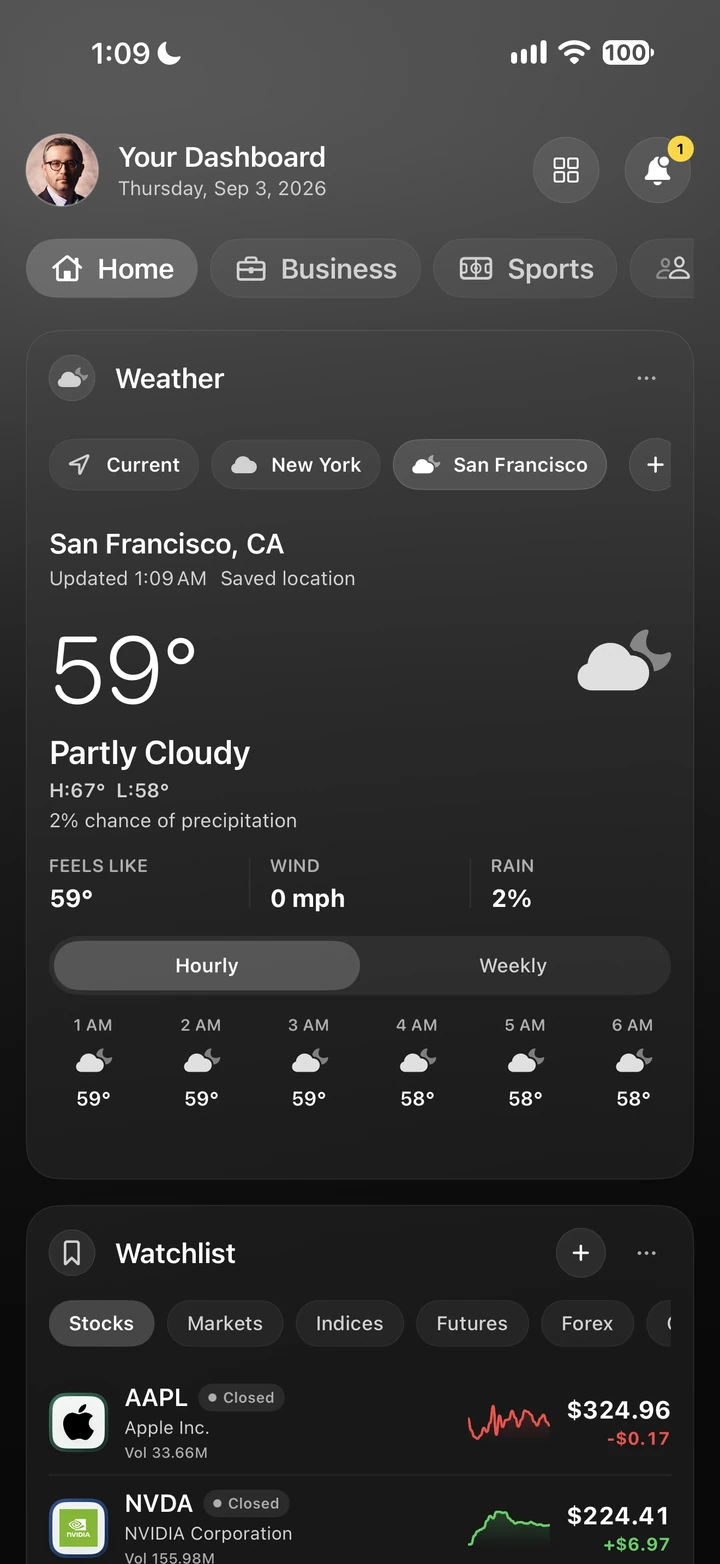
Go Griddy iPhone dashboard in dark mode showing weather and a market watchlist
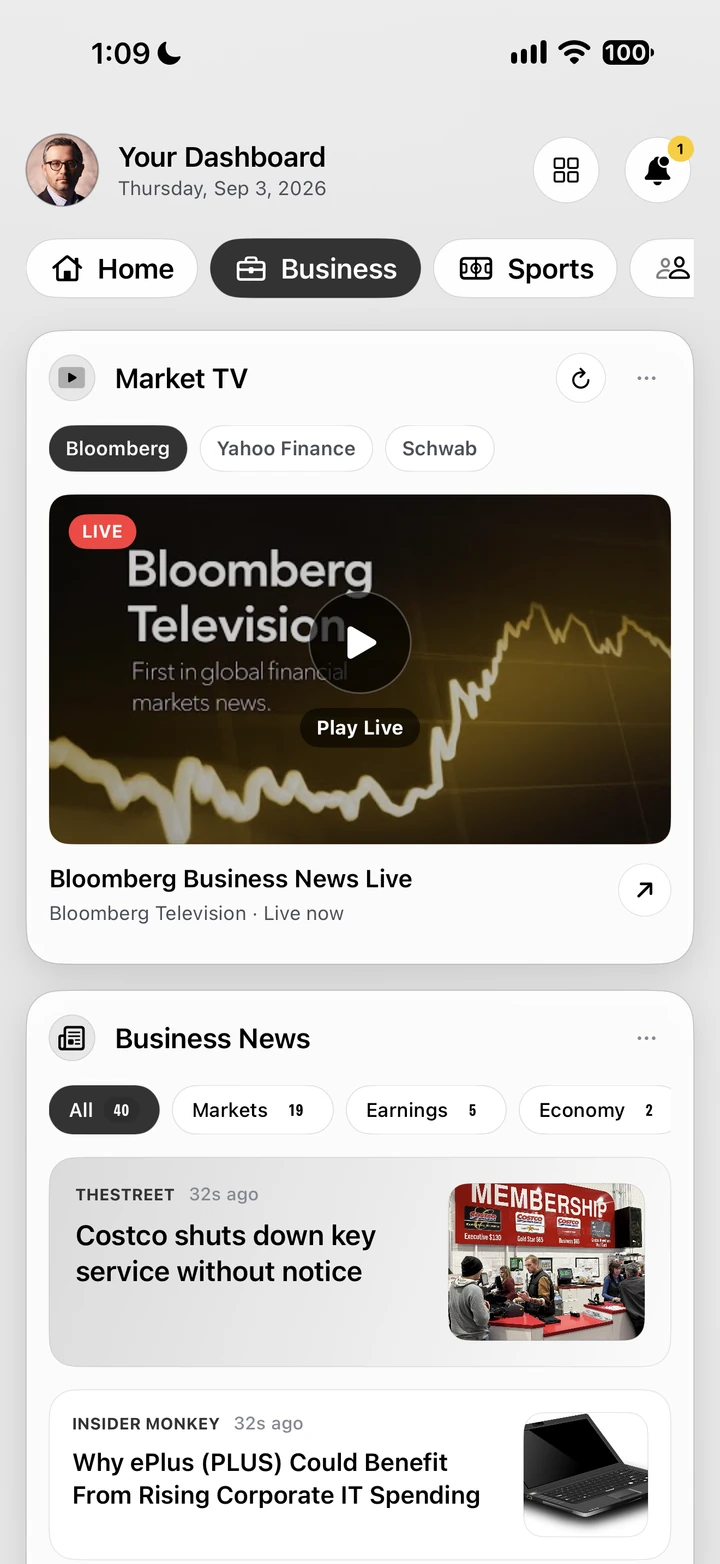
Go Griddy iPhone dashboard in light mode showing market video and business news
Businesses adding an appProduct owners and startupsTeams with an existing websiteiPhone, iPad, and Mac users

A business app should make an everyday task easier.

The most useful business apps do a few things very well. Customers book, order, or check information in seconds. Staff complete a task on site instead of waiting to get back to a desk. Before design begins, we define who will use the app, what they need to do, and what the first release must include.

We build in SwiftUI, Apple’s native interface framework, so the app follows the conventions people already know on iPhone, iPad, and Mac. Product planning, interface design, development, testing, and App Store preparation happen in one process, with the same senior designer and developer from the first conversation through release.

How an app project works.

Each stage ends with something you can review, so decisions are made with real screens and working software.

1. Discovery and prototype

Define the users, core tasks, platforms, and integrations. An interactive prototype tests the main flows before full development and sets a realistic scope, budget, and schedule.

2. Design and development

Interface design and SwiftUI development proceed in milestones. You review working builds on your own devices through TestFlight as features are completed.

3. Testing and App Store release

Real-device testing, accessibility and performance checks, App Store listing materials, privacy details, and submission, typically under your organization’s own Apple Developer account.

4. Updates and support

After launch, plan bug fixes, annual iOS updates, and new features as an agreed program of releases.

Native app, web application, or website?

Start with the people using it and how often they return. A native Apple app suits frequent, task-focused use and features such as notifications, the camera, location, or offline access. A web application suits account-based work in a browser, such as ordering, approvals, and customer portals, and is often the better route when people use many kinds of devices. A responsive website is usually enough for public information and inquiries.

We build all three. Our custom web application and customer portal work covers browser-based systems, and our native development is for Apple platforms only: iPhone, iPad, and Mac. If your audience also uses Android devices, a web application can serve every device, and we can plan that route with you.

AI app builders can be a quick way to test an idea. When an app handles customer data, connects to your systems, or needs to be maintained for years, a planned build is usually the safer choice. Our guide to AI app builders versus a developer explains where each fits.

An app should work as well as it looks.

We define the people using the app, the tasks it should support, and what a successful first release needs to include.

Define the product

Clarify the audience, jobs to be done, feature priorities, navigation, data requirements, success measures, and a realistic first release.

Design for the platform

Use familiar Apple interaction patterns, responsive layouts, accessibility, typography, motion, and device-specific behavior with intention.

Plan every state

Account for loading, empty, offline, error, permission, onboarding, notification, and account states so the experience remains coherent outside the ideal path.

Build for iteration

Create reusable components, clear data boundaries, testable behavior, analytics, and release practices that support continued development.

From planning through launch

Product strategy, native development, and release preparation.

Deliverables, integrations, and ongoing support are defined in your project proposal.

Product strategy

Audience needs, feature definition, information architecture, requirements, risk, roadmap, and release priorities.

UX and interface design

User flows, wireframes, prototypes, high-fidelity screens, design systems, interaction details, and accessibility.

Native SwiftUI development

Maintainable iOS, iPadOS, and macOS interfaces using platform APIs, responsive components, and appropriate architecture.

Systems and integrations

APIs, authentication, local data, notifications, permissions, analytics, privacy, and connections to existing web platforms.

Quality and launch

Device testing, performance review, accessibility checks, App Store preparation, documentation, and post-launch refinement.

Built into the work

Quality across devices and everyday use.

  • Native platform behaviorInterfaces designed for touch, keyboard, pointer input, and the conventions of iPhone, iPad, and Mac.
  • Accessible interfacesVoiceOver, Dynamic Type, readable contrast, and keyboard navigation reviewed for the supported platforms.
  • Privacy and permissionsAccount access, local storage, external APIs, and permission requests planned around the data the app actually needs.
  • Performance testingResponsive interactions, loading behavior, memory use, and device testing included in the release plan.
  • A maintainable productReusable SwiftUI components, documented integrations, and an agreed plan for ongoing releases.

Common questions

Before we begin.

How much does it cost to build an app for a business?

App projects at AK Design House typically start at $15,000. A focused first release with a few core screens is at the lower end. Apps with accounts, payments, integrations, or several platforms cost more and can exceed $60,000. Discovery and a prototype produce a written scope and price before full development. Our app development cost guide explains what drives the budget.

How long does it take to build an app?

It depends on the number of features, integrations, and platforms. The discovery phase sets a schedule with milestones, so you review working software at regular points rather than waiting for a single launch date.

Do you build Android apps?

No. We build native apps for Apple platforms only: iPhone, iPad, and Mac. That focus lets us use Apple’s frameworks, design conventions, and testing tools to their full extent. If your customers also use Android, we can plan a web application that works on any device, alongside or instead of a native Apple app.

Can an AI app builder build our app instead?

Sometimes. AI tools can produce a working prototype quickly, which is useful for testing an idea. They are harder to rely on when an app stores customer data, connects to your systems, needs App Store review, or has to be maintained for years. We can review an AI-built prototype and advise whether to extend it or rebuild it natively.

Can you begin with a prototype?

Yes. A focused discovery and prototype phase can clarify the product, validate the core flows, and establish a realistic scope before full development.

Can an app connect to an existing website or service?

Yes. API requirements, authentication, data models, privacy, and ownership boundaries should be defined during technical discovery.

Will you publish the app to the App Store?

Yes. Release preparation includes App Store screenshots and listing text, privacy details, TestFlight testing, and the submission itself. We recommend publishing under your organization’s own Apple Developer account so you control the listing.

Do you work with businesses outside Connecticut?

Yes. Our studio is in Norwalk, Connecticut, and we work with businesses in New York and across the United States. Reviews and meetings are arranged around the project.

Do you test on real devices?

Yes. Testing includes real devices for the supported platforms, alongside simulator and automated checks where appropriate. We review layout, interaction, accessibility, performance, permissions, and connectivity against the agreed release requirements.

Planning an app?

Tell us what your app needs to do.

Share who will use the app, the tasks it should support, the platforms you need, and any systems it must connect to. We will outline a discovery plan with scope, timing, and budget. When you book, choose App design and development.